
Live Cross Guide
We’re looking forward to having you appear on Ticker News.
Please follow this quick technical guide so you look and sound your best on air.
Access and Login
- Keep an eye on your inbox, spam and junk folders.
- The code is sent automatically; there is no need to request it early.
- Be ready to connect 10 minutes before your booked time.
Join the Live Cross
- Use a laptop or desktop with Google Chrome.
- Go to advanced.vmixcall.com.
- Enter your name as the username.
- Enter the unique code emailed by Ticker.
- Use your computer microphone and audio.
Choose a Quiet Location
- Close doors and windows and silence notifications.
- Avoid cafés, open offices and rooms with echo.
- Let others nearby know that you are going live.
- Close Zoom, Teams, Skype and all other video apps.
Quick Technical Check
- Place the camera at eye level.
- Light your face from the front.
- Keep the device stable and plugged into power.
- Use landscape framing—not mobile or vertical video.
- Do not use Google Meet or another video link.
Seeing a black screen after logging in?
Refresh your browser until you can see the studio. The connection can occasionally become stuck if you have recently used Zoom, Teams or other videoconferencing software, or if a firewall delays access. Refreshing normally clears the issue and allows you through. As soon as we can see you, our producer/director will make contact to confirm that you are visible in the control room before passing you over to the host.
Look your best on camera
A professional television shot comes down to three things: camera height, balanced framing and clean front lighting.
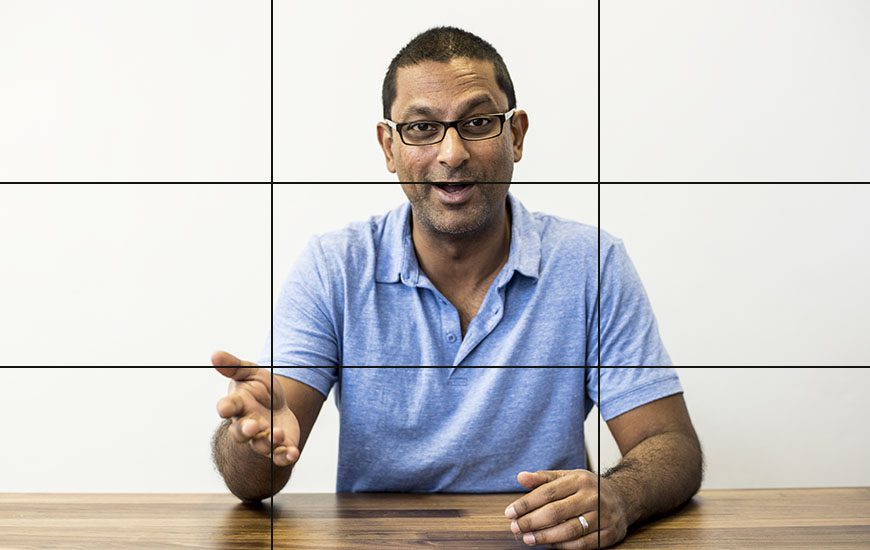
Essential framing rules

✓ Good setup
Camera at eye level, face lit from the front, tidy real background and comfortable headroom.
✕ Avoid this
Low camera, bright window behind, dark face, excessive headroom and distracting clutter.
Background and depth
Your background should feel natural and professional—not artificial, flat or distracting.
Please do not use a virtual background
Your real background will be visible on air. Choose a tidy location and do not sit directly in front of a window—the bright light will leave your face dark.
Sit around 1 to 1.5 metres from the wall behind you. This creates depth and avoids a flat-looking shot.
Sit roughly an arm’s length from the webcam. Too close feels uncomfortable; too far away can increase echo.
Remove distractions and ensure lamps, plants or poles do not appear to grow out of your head.
Final 60-second checklist
No virtual effects
No window behind
Centred and stable
Other apps closed
After the interview
Your segment will air shortly after recording on the Ticker News LIVE Channel. A team member will email you with the confirmed playout time. Ticker Studios retains all editorial rights and may reschedule or cancel live crosses due to breaking news or technical issues.